
AI outreach that cannot send until you approve
12Pilot AI Outreach finds ICP-fit people and drafts sequences from your templates. It has no send button. You reject rows, edit copy, then confirm launch.
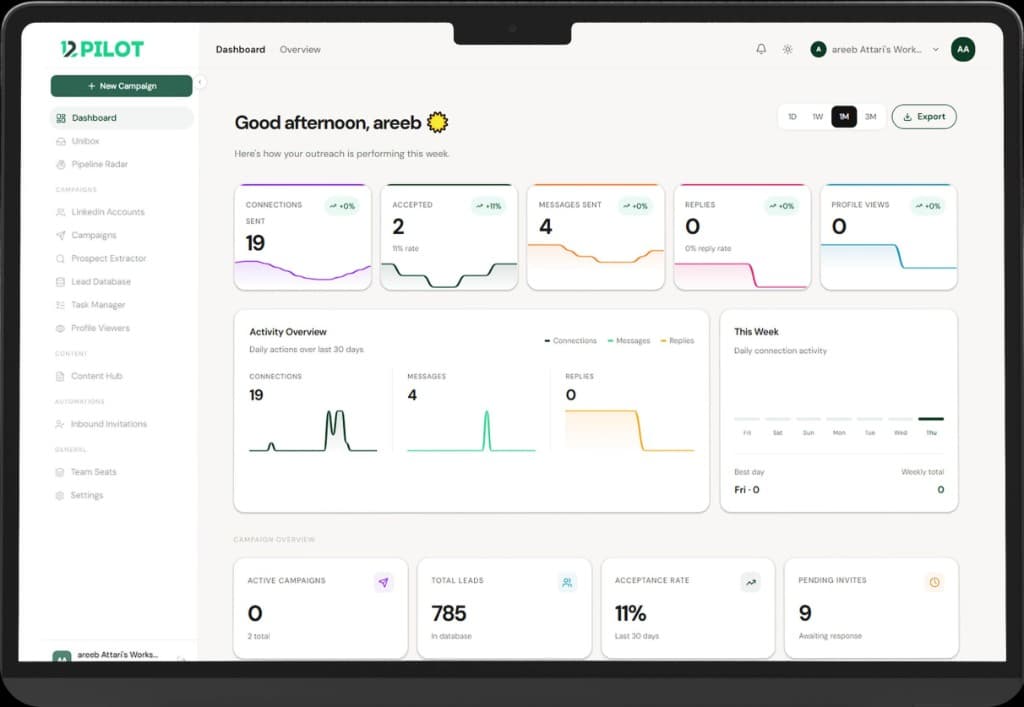
Most “AI SDR” products are a copy engine with a send loop. That is how you get a restricted seat and a thread that starts with a fake compliment about a blog post the prospect did not write.
12Pilot’s AI Outreach is built the other way around: the model may plan. It may not send. Nothing hits LinkedIn until a person confirms the launch bundle.
What you actually type
You describe the business once in a workspace profile: what you sell, who you want, who to exclude, tone, language. A run can override the brief (one campaign for CFOs at 50-person agencies, another for founders in a city) without rewriting the company story.
If the profile has no offer and no ICP signal, boom does not invent a persona. Empty ICP in, spam out — we refuse that path.
Preview is the product
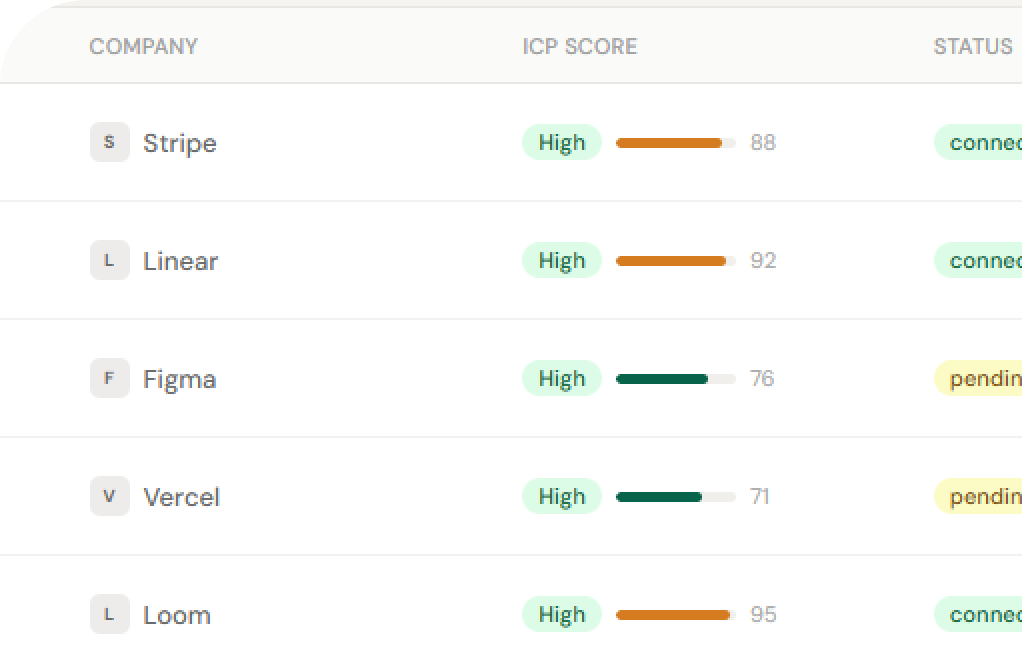
Boom builds a prospect preview, not a live send queue. You see names, titles, fit, and why they showed up. You mark not-a-fit. Those people do not quietly reappear on the next run (we keep a cool-off, and “not a fit” stays out).
- Inventory first: people already in your workspace, scored against this brief.
- Then sourcing, if you still need volume and you have credits.
- Optional recent-post context if you want copy that can mention something real — billed only when posts are actually fetched.
You also get a credit estimate before sourcing. If the workspace cannot afford the run, it does not start.
Sequences come from your templates
The model writes 2–3 sequence variants from approved outreach templates, not a free-form graph it dreamed up. You edit lines. You pick a variant. You still choose the LinkedIn seat. A viewer can watch history; they cannot launch.
That draft is a normal 12Pilot campaign with origin metadata (ai_outreach). Same queue, same daily caps, same Unibox as campaigns you built by hand. See connection limits — AI does not get a higher LinkedIn budget.
Launch bundle confirmation
The last screen is boring on purpose: seat, list, sequence, estimated volume, credits. Confirm. Until then, LinkedIn has not been called. If the account later gets restricted, the same stop-the-queue rule applies as any other campaign.
What this is not
- Not an agent with a send tool in Cursor. MCP exists on Team plans for the same orchestration — still no raw “connect this profile” hammer for the model.
- Not fake personalization. If we cannot see a real post or a real field, we do not invent one.
- Not a way around Sales Nav. If you need a fresh list, use Prospect Extractor or Maps, then boom against people who actually match.
If you sell locally and LinkedIn search is thin, pair this with Google Maps → LinkedIn: import the shop, then run the same approve-then-send path.
Describe the buyer. Reject the misses. Confirm launch. That is the whole pitch — and why the AI still has no send button. Try it on 12pilot.net.
Questions about limits, Unibox, or sending? See the 12Pilot FAQ.